Cybercriminals are always looking for ways to trick people.
How copycat websites enable account takeover
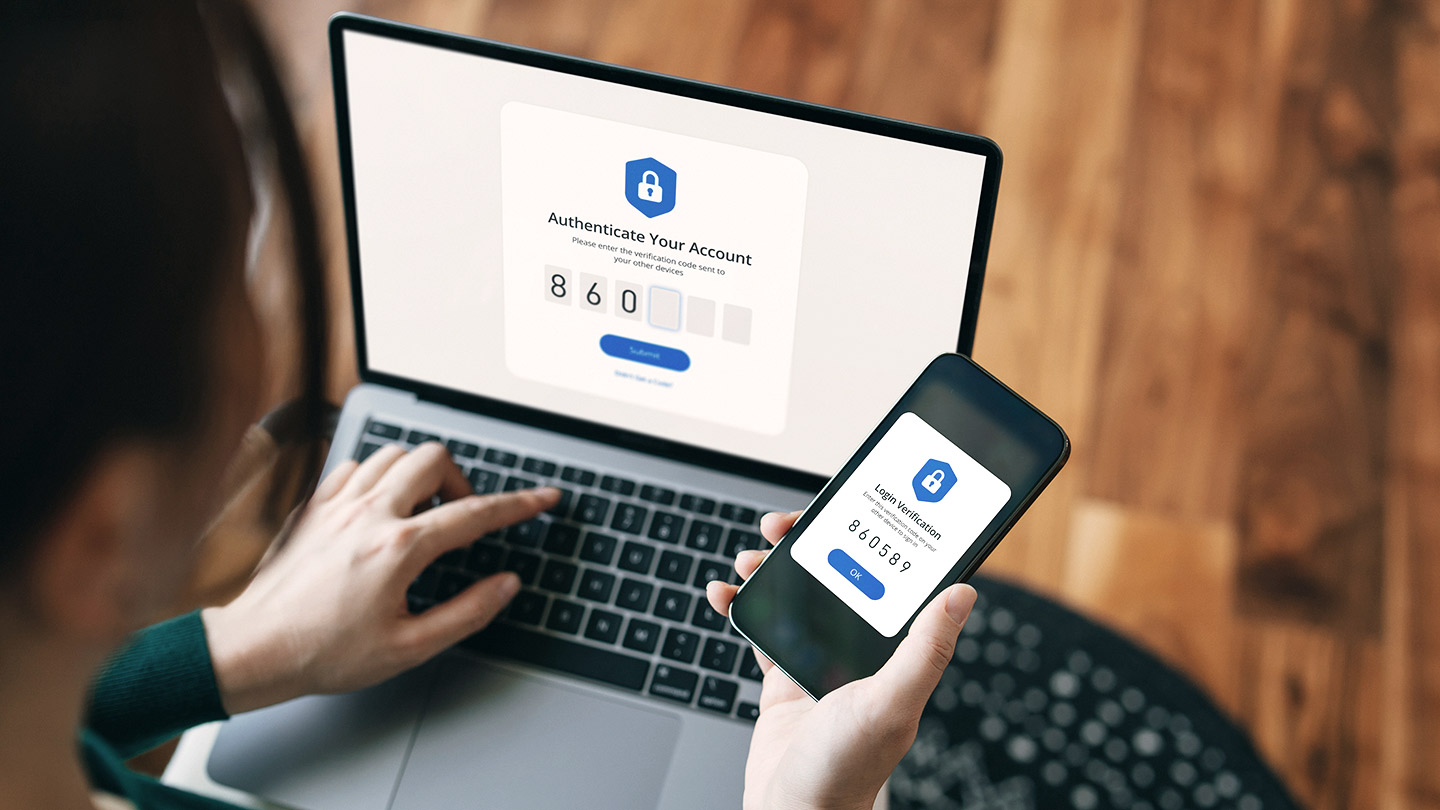
Some of the most common methods are look-alike domains and spoofing—creating fake websites and emails that are almost identical to real ones. Scammers want you to believe you’re on a trusted site or communicating with a trusted source so that you’ll click a malicious link or provide your login information. Their goal is to get you to enter your username and password, giving them access to your actual account—this is known as account takeover.
Here’s how to spot the signs and keep your business safe.
Can you spot the fakes?
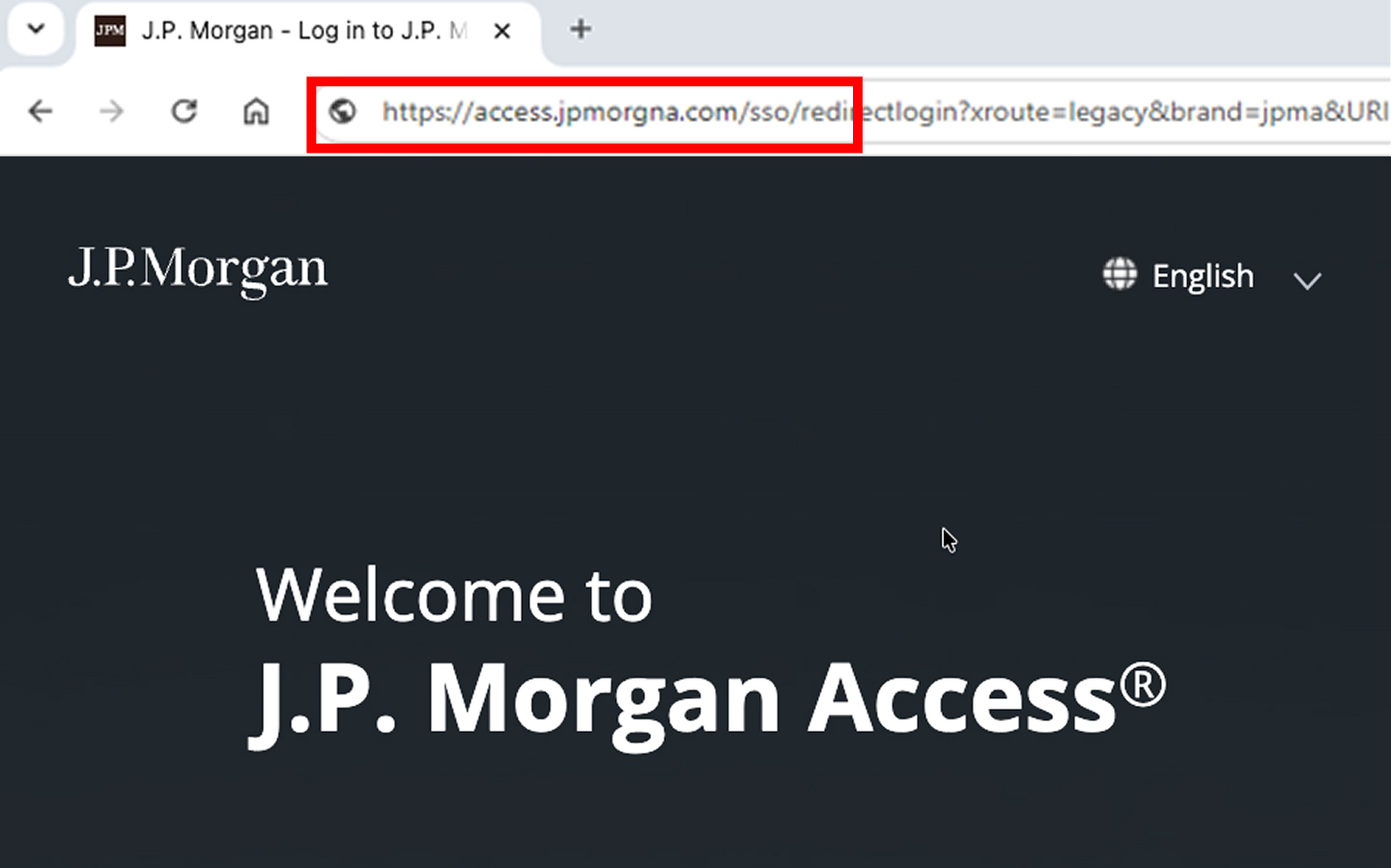
It’s easy to miss small changes, like an extra dash or missing or rearranged letters. Always check URLs carefully before logging in.
Even a tiny change in a website address can mean it’s a scam.
- Removing a character: access.jpmorgan.com → access.jpmorgn.com
- Changing the top-level domain: access.jpmorgan.com → access.jpmorgan.co
- Changing a character: access.jpmorgan.com → access.jpmorqan.com
- Adding a character: access.jpmorgan.com → access.jpmorgans.com
Another scheme uses similar-looking characters to fool you—for example, lowercase “L” and capital “i” can look identical. Scammers also use letters from other alphabets that closely resemble English characters. Trust your instincts; if something seems off, it probably is.
Email spoofing
Scammers also use email spoofing, a technique where they send emails that look like they’re from a trusted source, like J.P. Morgan or someone you know. These emails often:
- Use addresses that look almost right, but contain small character swaps or misspellings
- Ask you to click a link or open an attachment
- Create urgency with messages like “Your account is locked” or “Urgent action needed!”
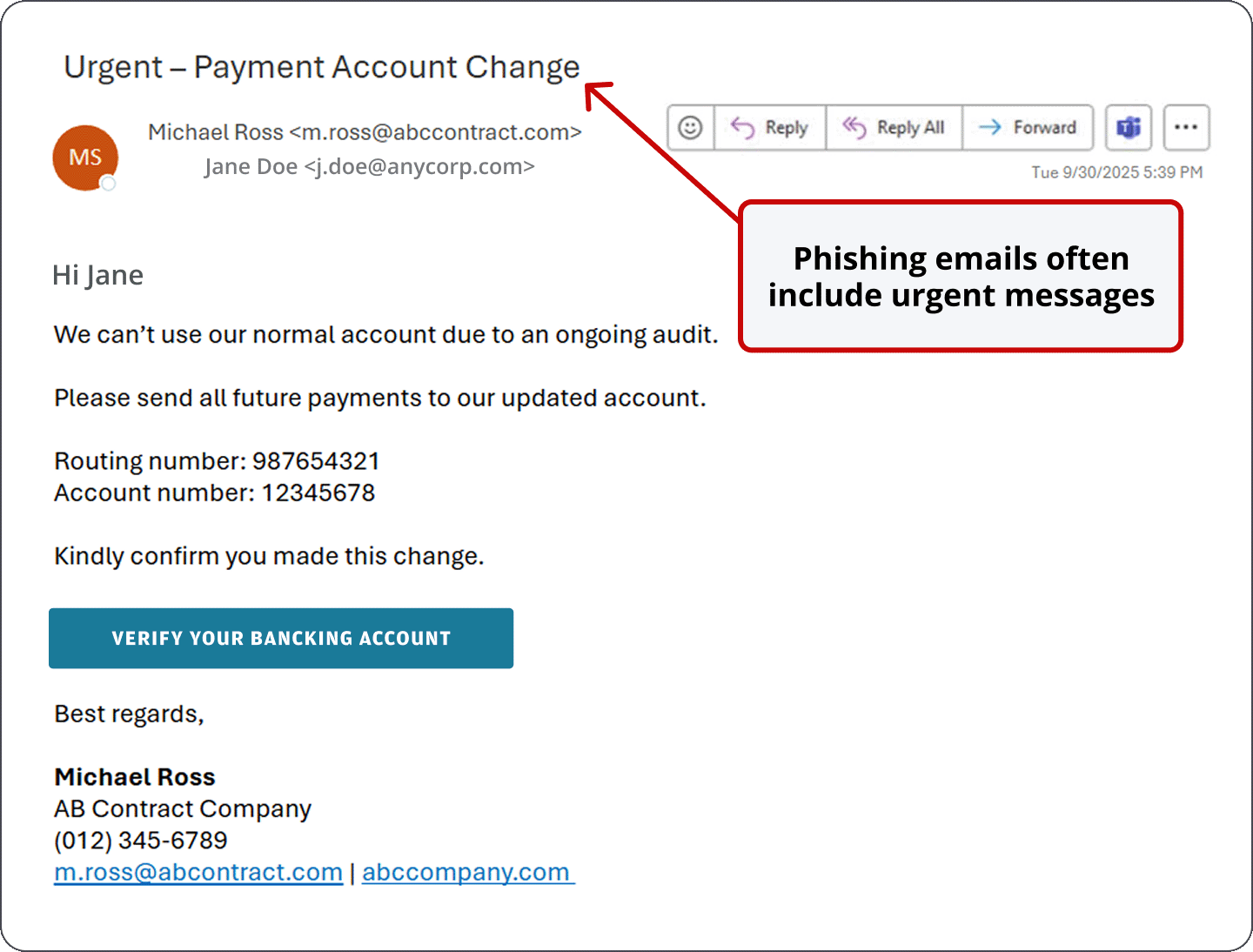
Clicking a link in a spoofed email can lead you to a fake login page that closely mimics the real one, tricking you into entering your credentials. Once scammers have your login information—whether through a fake website or tricky email, or by pretending to be someone you trust—they can access your account, steal funds and damage your business.
Search engine optimization (SEO) poisoning
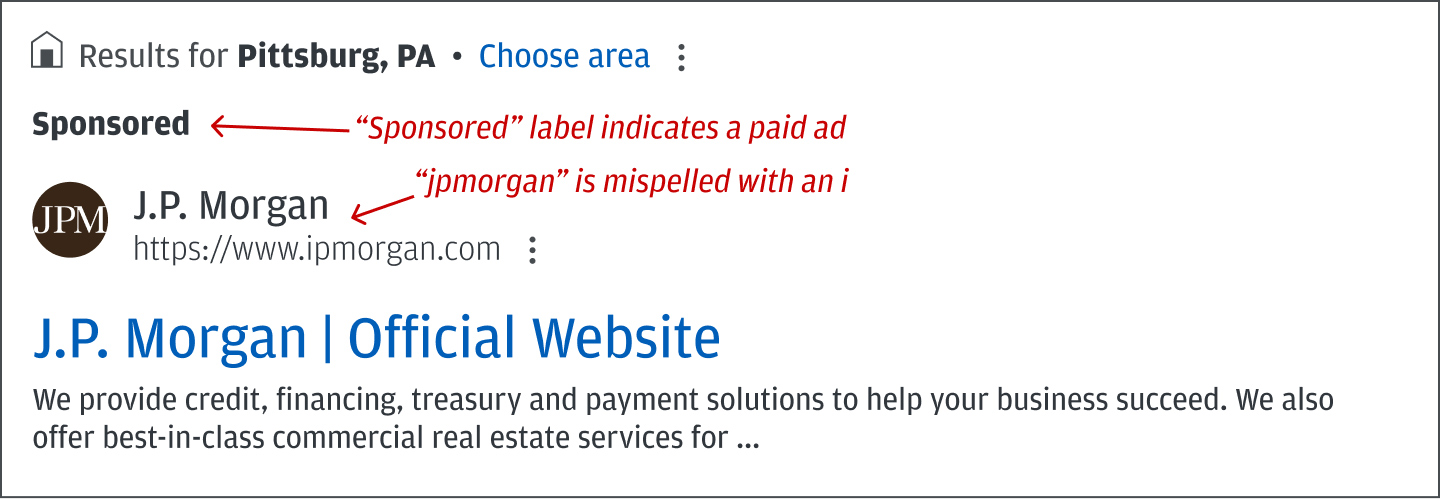
With search poisoning, fraudsters manipulate search engines to push their fake or phishing websites to the top of search results. Often, the URLs associated with these links use look-alike domains—like ipmorganchase.com, which is spelled with an “i" instead of a “j”—to further confuse users.
Clicking on these links can lead to malware infections, stolen login credentials or financial loss. Use bookmarks for frequently visited sites instead of searching for them each time.
Your safety checklist
- Bookmark the official site for URLs you use often; use your bookmark every time you log in.
- Use a password manager. If your credentials don’t autofill on a login page, it may be a spoofed domain.
- Never click login links in emails, texts or pop-ups, and be extremely cautious before opening any attachments.
- Look for the padlock symbol in your browser’s address bar noting the connection is encrypted—but remember that encryption alone does not guarantee the website is legitimate or trustworthy.
- Watch for misspellings, strange domain names or subtle oddities in character shapes.
- Beware of tricks like “rn” vs. “m,” swapped top-level domains (.co instead of .com), or missing/extra letters.
- Double-check sender email addresses for small character swaps or misspellings.
- Use multifactor authentication (MFA) for extra protection.
- Don’t enter your credentials unless you’re sure it’s the real site.
Callbacks are crucial
Always validate payment instructions or changes by calling the requester at a known phone number (not the one listed in an email). Never trust email alone for authorizing payments or account changes.
When a J.P. Morgan employee contacts you, they will never ask for:
- Your password or full token code
- You to click a link and enter your credentials
- Control of your computer or system
If you’re ever unsure, contact your service representative using a valid phone number or email. Contact information can be found in your banking platform.
How we can help
We offer tools and resources to help protect your business from fraud.
If you believe you’ve become a victim of fraud, contact your service representative and request to be put in contact with the “GB Fraud Recovery Team.”
If you suspect your account or systems have been compromised, contact your service representative immediately.
For more tips, check out our guide to business email compromise to learn more about payments fraud prevention.
JPMorgan Chase Bank, N.A. Member FDIC. Visit jpmorgan.com/commercial-banking/legal-disclaimer for disclosures and disclaimers related to this content.